![logo-rev-1.webp]](https://help.sharespine.com/hs-fs/hubfs/logo-rev-1.webp?height=27&name=logo-rev-1.webp)
-
Go to Shopify Admin
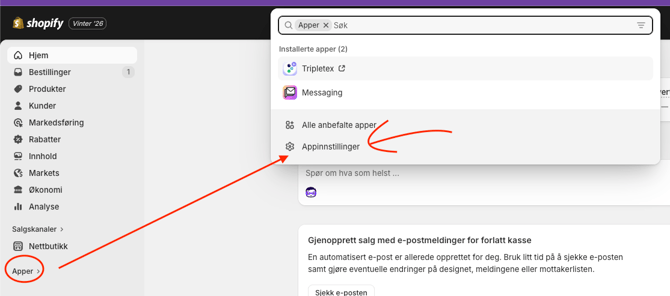
Log in to your Shopify admin panel and click on Apps in the side menu.
-
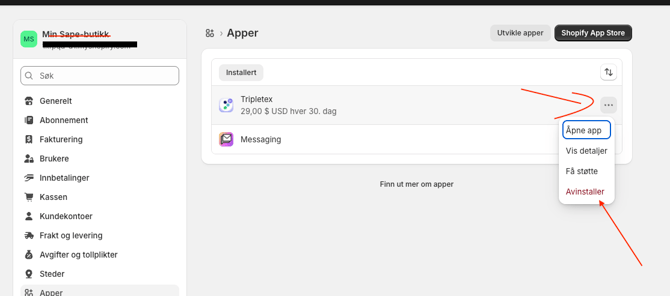
Find the app you want to cancel
Click on the app name to open the app settings.
-
Click “Remove” or “Uninstall”
Confirm that you want to remove the app — this will immediately cancel your subscription.
-
Or watch this video:
youtube.com/watch?v=05pPUSdYMNQ&feature=youtu.be&themeRefresh=1